

A Fresh Look: Meet the New TicketWave Homepage
We redesigned the TicketWave homepage from top to bottom. Clearer sections, a live look at the bot and the dashboard, honest pricing and a layout that finally feels great on your phone. Here is the full tour.

Tuncion
Yazar

A Fresh Look: Meet the New TicketWave Homepage
TicketWave has grown a lot this year. Our homepage didn't.
New features like LunAI, Ticket Rules, authentication steps and a full analytics suite all landed in the bot and the dashboard.
But if you visited our homepage, you would barely notice any of it.
So we sat down and rebuilt it - from the first headline to the very last button.
In this post, we'll walk you through everything that changed and why we changed it.
Why We Redesigned the Homepage
Our old homepage did its job. But it had a few problems:
- It was hard to see what TicketWave actually looks like before inviting it
- Important features were hidden deep in long lists
- There was no clear answer to "how do I get started?"
- Pricing was spread out and harder to compare than it should be
- On phones, it simply didn't feel good
We wanted a page that answers your questions in the order you actually have them:
What is it? → How do I set it up? → What can it do? → What does it cost?
That is exactly how the new homepage is built.
🌊 A Hero That Shows, Not Just Tells
The first thing you see is still our promise: The Best Discord Ticketing Solution.
But right below it, you now see TicketWave in action. A ticket panel just like the one your members will use - with categories, a freshly created ticket and LunAI setting the priority in the background.
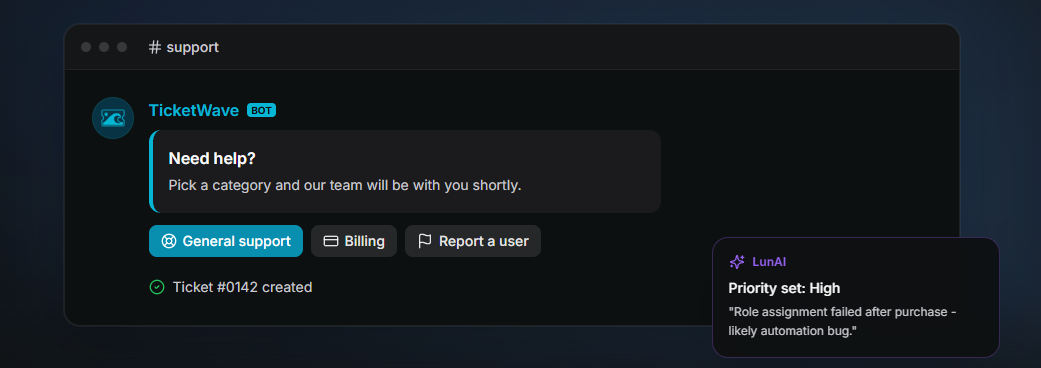
No marketing screenshot from three versions ago. Just what your server gets.
Directly underneath, our live stats show how many servers, users and tickets TicketWave is handling right now - counted up the moment you scroll past.
🚀 Up and Running in Three Steps
This was the section we missed most.
New visitors kept asking us the same question: "Okay, and how do I set it up?"
Now the answer is right on the homepage:
- Invite the bot - one click and TicketWave is on your server
- Configure it - either with
/admin setupdirectly in Discord, or in the web dashboard - Support on autopilot - tickets are routed, prioritised and logged automatically
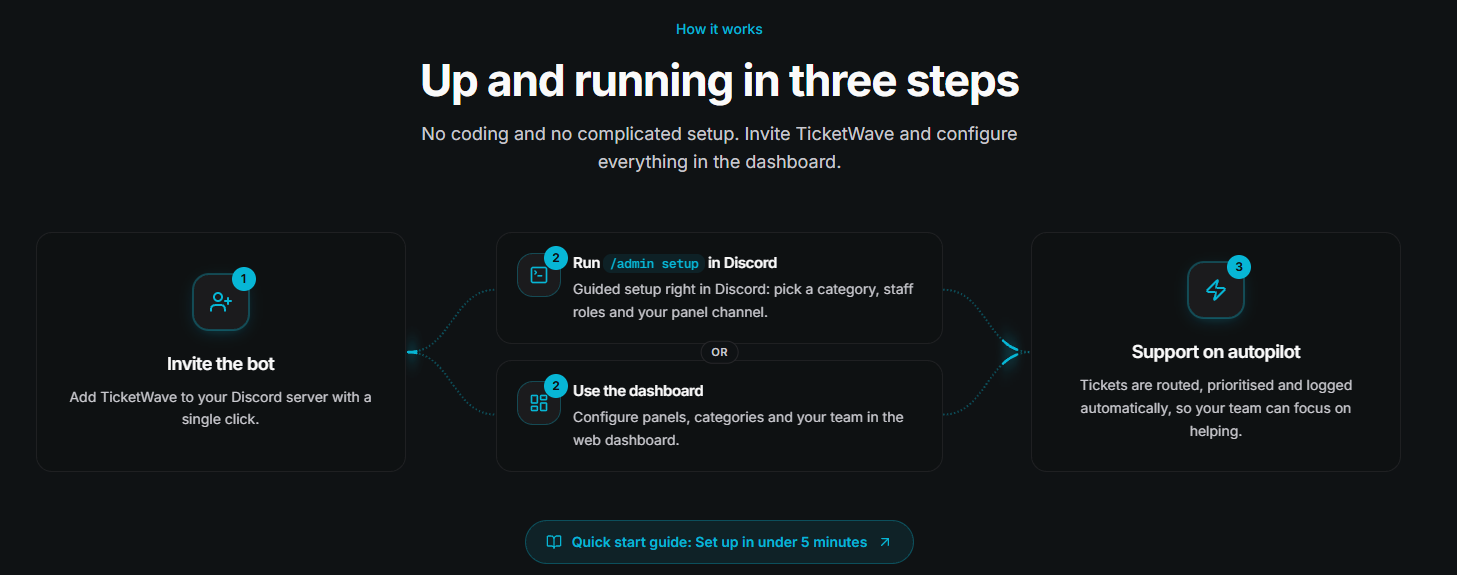
And if you want a hand, our Quick start guide gets you set up in under 5 minutes.
📖 Prefer a full walkthrough? Read our complete guide to setting up a Discord ticket system.
🧩 Features You Can Actually Scan
The old feature list was long. Maybe too long.
The new features section puts the six things that matter most into one clean grid:
- Smart Ticket System - custom panels, buttons, menus and open limits
- Custom Branding - your colors, thumbnails, icons and footer
- Advanced Analytics - activity, staff performance, response and resolution times
- Team Management - roles, claiming, staff threads and workload
- Steps & Categories - collect the right info before your team even reads the ticket
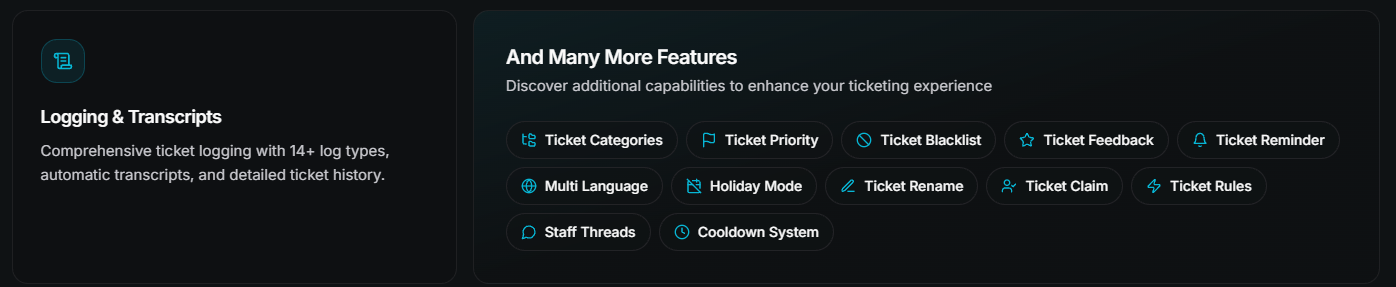
- Logging & Transcripts - 14+ log types and automatic transcripts
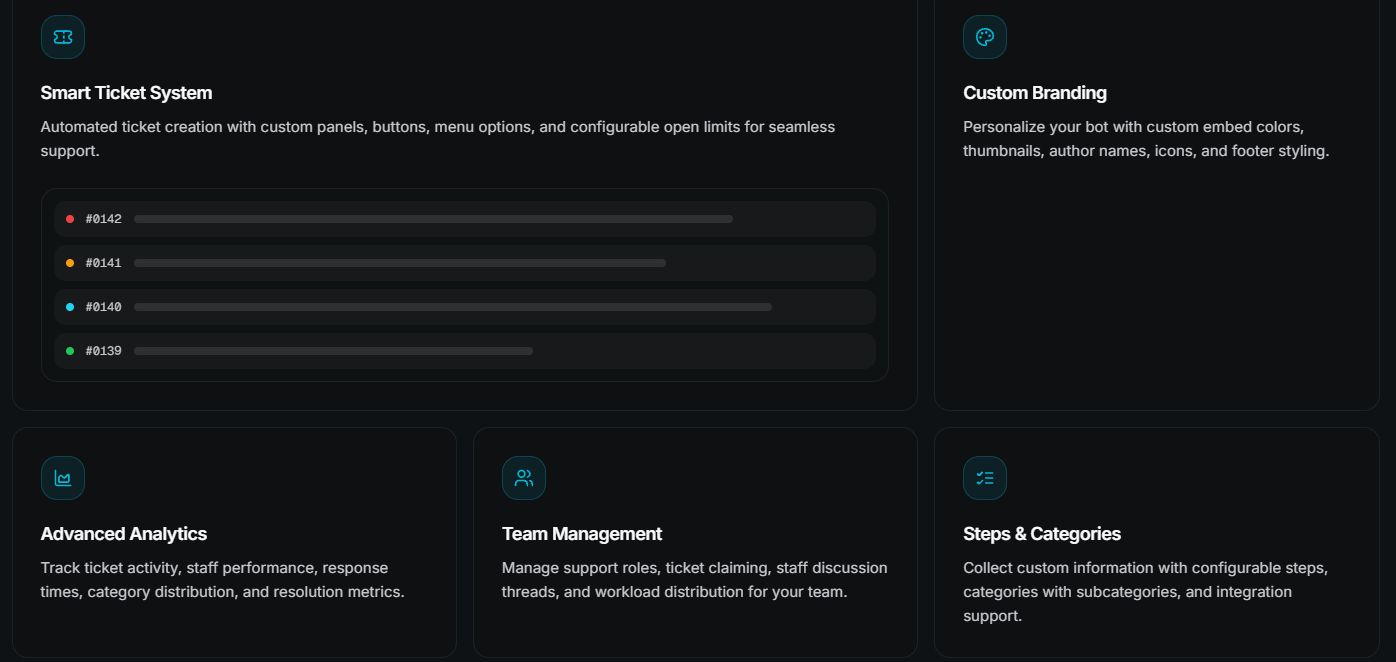
Everything else - Ticket Rules, Holiday Mode, Ticket Feedback, Reminders, Cooldowns and more - lives in the "And Many More Features" card right below. One glance, and you know what TicketWave can do.
🧠 LunAI Gets the Stage It Deserves
LunAI keeps its signature violet look - it's our AI copilot, and it should stand out.
The section explains in plain words what LunAI does for your team: instant priority detection, crystal-clear summaries and taking the busywork off your staff's shoulders. On the right, you can watch LunAI analyse a new ticket step by step.
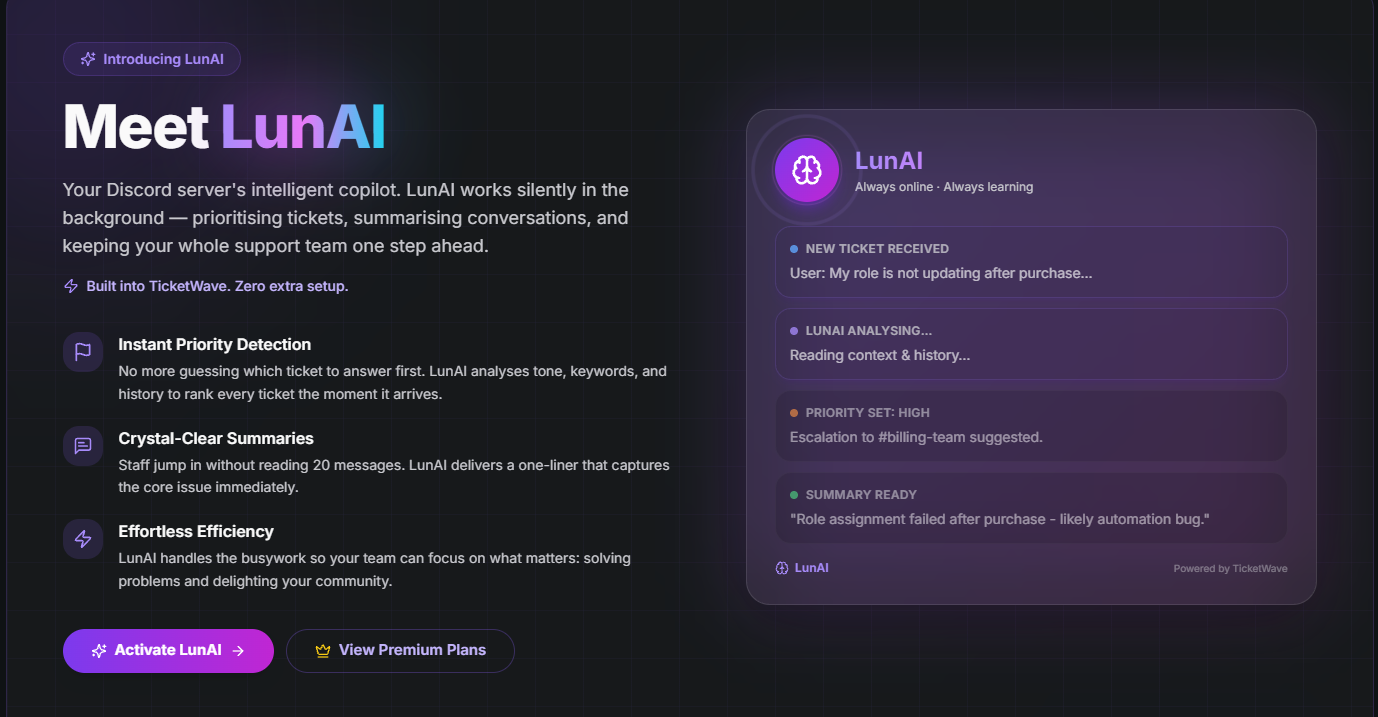
🤖 Curious about the latest LunAI features like Auto-Reply and the Knowledge Base? Check out the v1.0.8 patch notes.
🖥️ A Look Inside the Dashboard
This one is completely new.
Before you even log in, you can now see what the TicketWave dashboard looks like: your ticket numbers, the activity of the last days, recent tickets with their priority and status - and a sidebar with everything from Webhooks to LunAI and Logs.
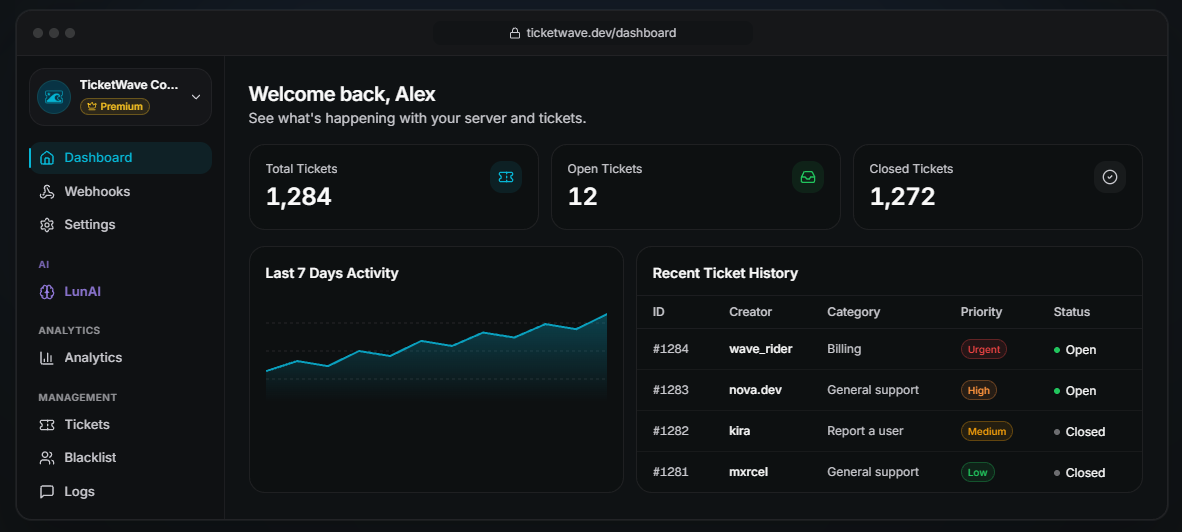
Every setting in one place. All right in your browser. No commands needed.
📊 See How Your Support Performs
Numbers tell you more than feelings ever will.
The new analytics section gives you a taste of what you can track in your dashboard - ticket volume, first response time, resolved tickets and more.
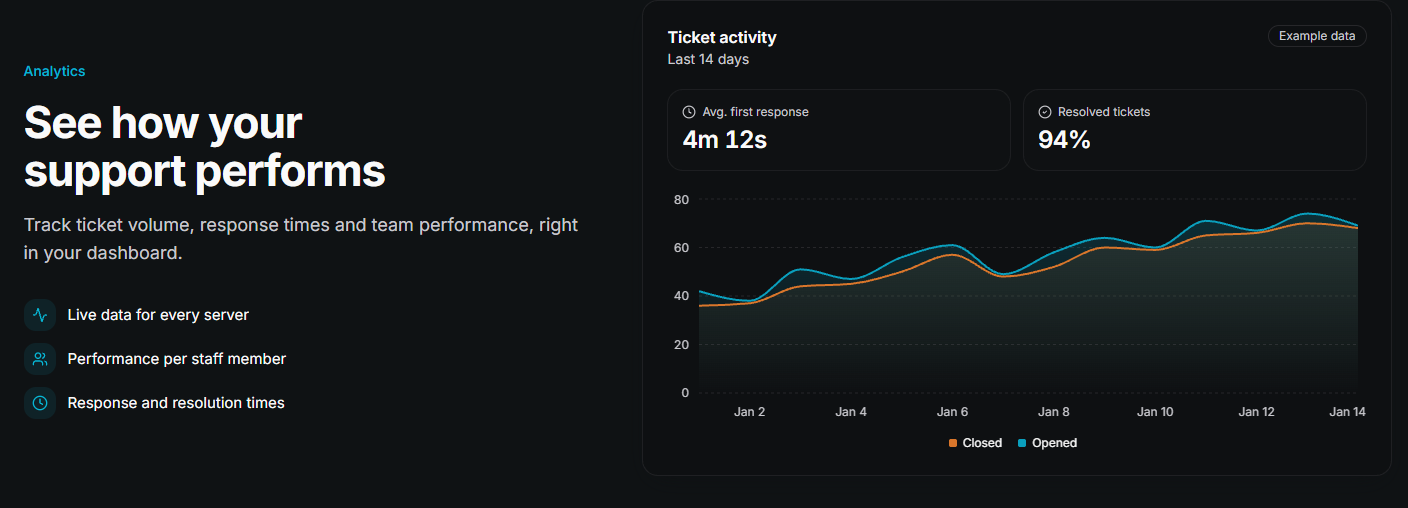
The chart on the homepage uses example data - your dashboard shows the real numbers of your server.
📈 Want to get the most out of your data? Read our Discord support staff performance guide.
🔐 Know Exactly Who Opened the Ticket
Our authentication steps are one of the most underrated features of TicketWave. So we gave them their own section.
Members link their FiveM, Steam, GitHub, Roblox or other account while opening a ticket - and your team instantly gets the verified username and ID. No more asking. No more guessing.
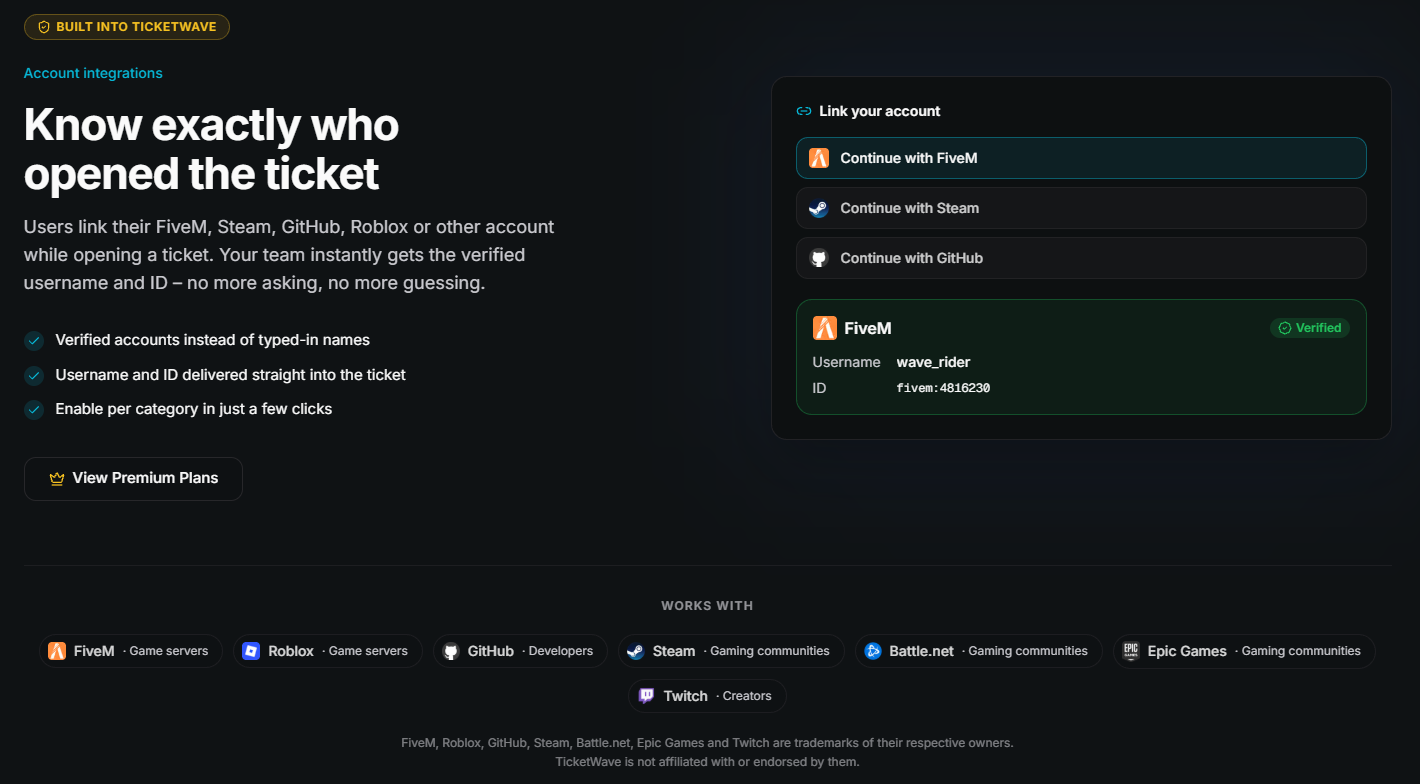
Right below, you'll find every platform we currently support: FiveM, Roblox, GitHub, Steam, Battle.net, Epic Games and Twitch.
💎 Simple, Fair Pricing
We wanted pricing to be boring - in the best possible way.
Two cards. Free and Premium. Side by side.
- TicketWave Free - 0€, forever. Everything you need to run great support.
- TicketWave Premium - 4.99€ per month. Everything in Free, plus LunAI, branding, unlimited categories, ticket notes, holiday mode and full ticket history.
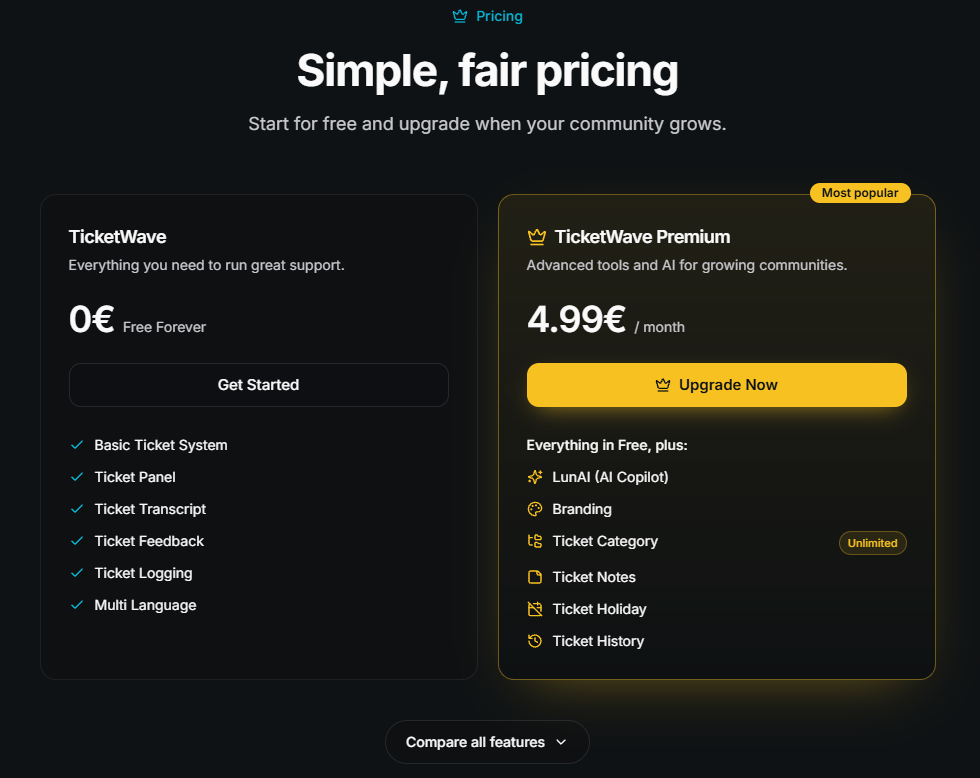
Want every detail? Click Compare all features and the full comparison table opens right there.
💬 Still not sure which plan fits your server? We wrote a whole post about it: TicketWave Free vs Premium.
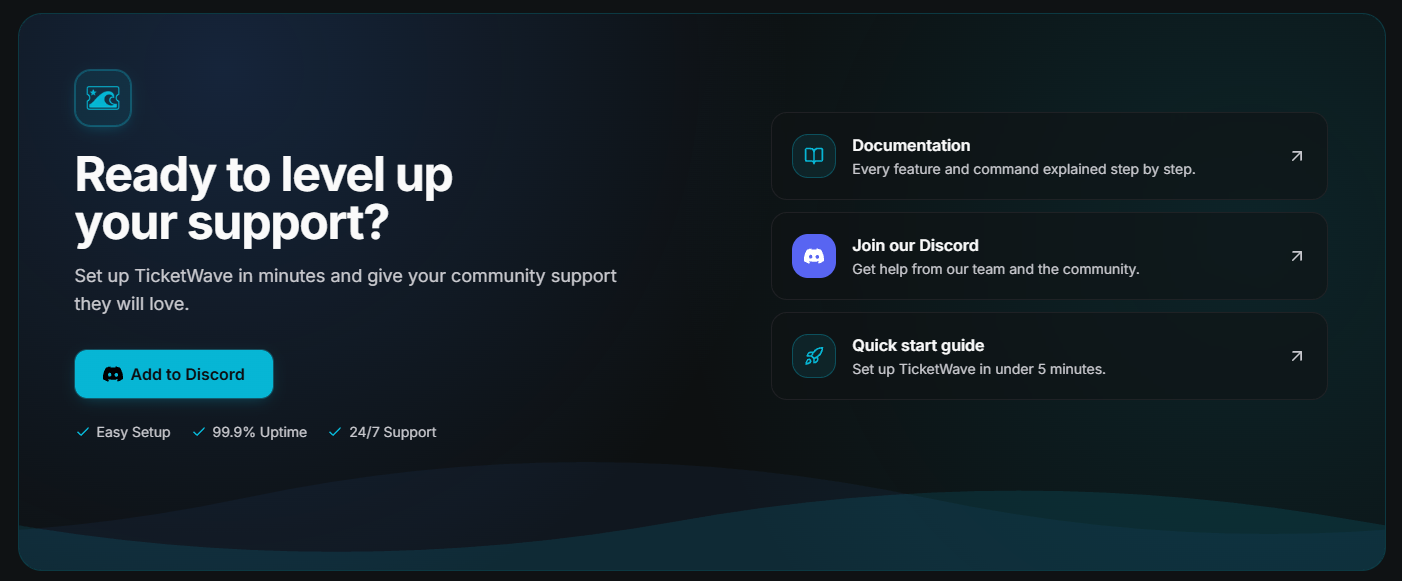
🎯 One Last Push
At the very bottom, we added a final section for everyone who scrolled all the way down (thank you! 😄).
Add TicketWave to your server, or jump straight into our documentation, our Discord community or the quick start guide.
📱 Made for Your Phone, Too
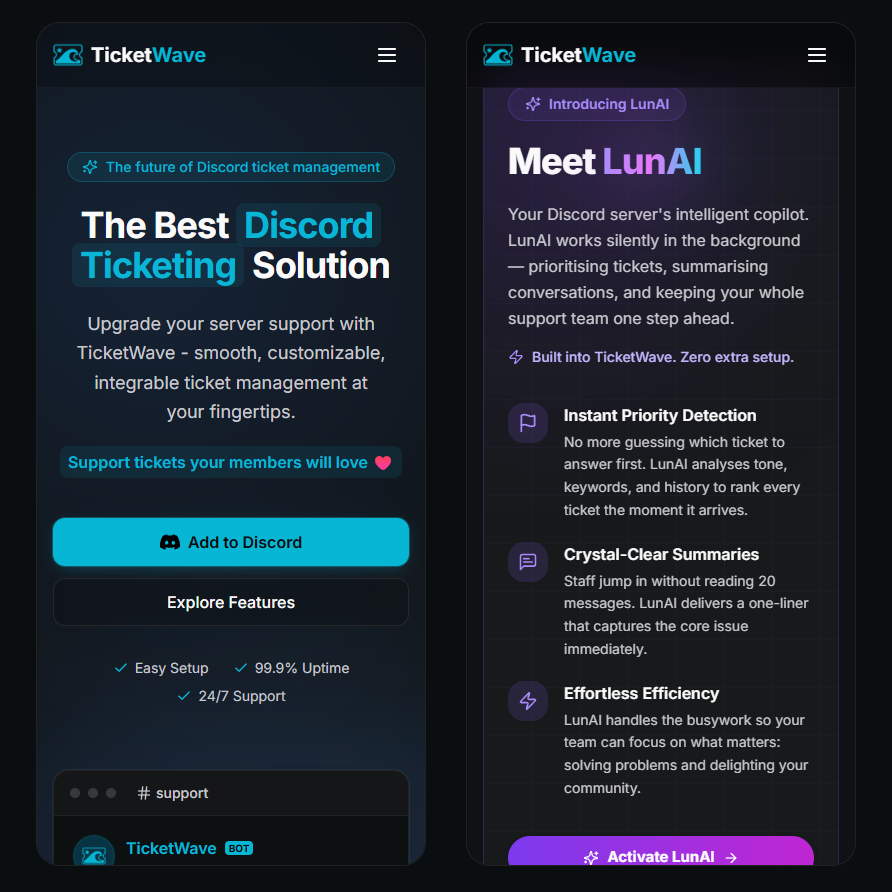
A lot of you browse Discord - and our website - on your phone.
The new homepage was built with that in mind: bigger buttons, readable text, a clean menu and sections that stack nicely on small screens.
The Little Things
Besides the big sections, a lot of small details changed as well:
- A cleaner navigation bar with Features, AI Copilot, Premium, Blog, Changelog and Docs
- Add to Discord is always one click away, at the top right
- A calmer, darker design with our TicketWave cyan as the main color
- Smooth animations that respect your system's "reduce motion" setting
Frequently Asked Questions (FAQ)
Did anything change in the bot?
No. The redesign is all about our website. Your ticket panels, categories, settings and data stay exactly the same.
Do I need to set anything up again?
No. Nothing changes for your server. Just enjoy the new look.
Did prices change?
No. TicketWave Free is still free forever, and Premium still starts at 4.99€ per month.
Are the numbers in the dashboard and analytics previews real?
The previews on the homepage use example data, so you can see what to expect. Once you open your own dashboard, you'll see the real numbers of your server.
I found a bug or have an idea for the website. Where can I tell you?
Please let us know on our Discord server. We read everything.
➡️ Take a Look Yourself
Screenshots are nice. Clicking around is better.
👉 Visit the new homepage
https://ticketwave.dev
👉 Add TicketWave to your Discord server
https://ticketwave.dev/invite
👉 Open the Dashboard
https://ticketwave.dev/dashboard
Final Thought
A homepage is the first thing people see of TicketWave.
We wanted it to feel the way TicketWave feels once it's running on your server: clean, fast and easy to understand.
We hope you like it as much as we do. And as always - your feedback makes TicketWave better 💙🌊


