
Discord Staff Rank System: How to Gamify Your Support Team
Your best supporters do the least visible work. Build a fair Discord staff rank system with XP, levels and seasons, without turning support into a race.

Tuncion
Author
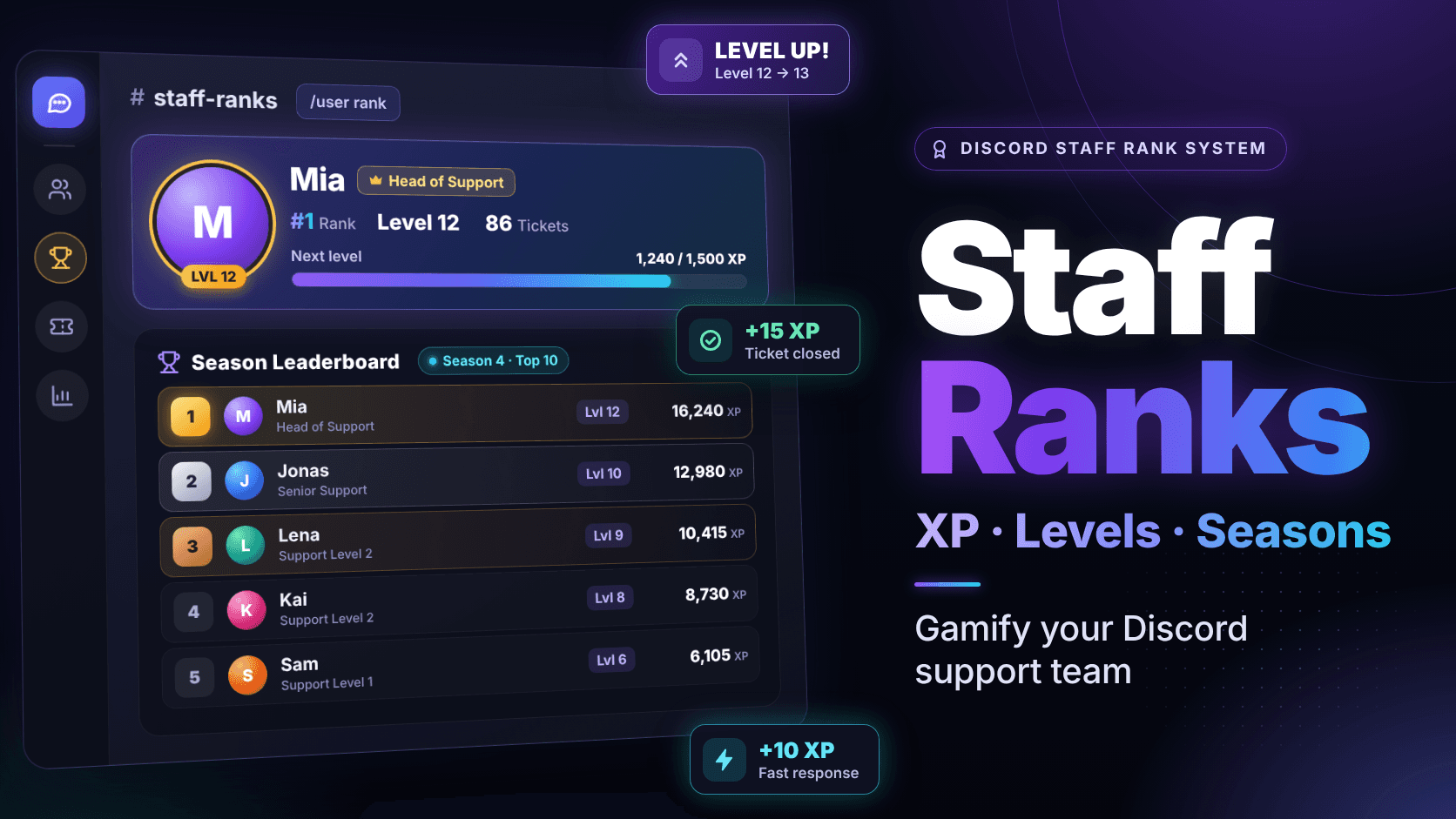
Your best supporter is probably the one you notice least.
She logs in after work, clears ten tickets and logs off again.
Nobody in general chat sees it. The mod who posts memes all evening gets the "thanks for everything" messages.
Three months later she tells you she "doesn't really have time anymore." You never saw it coming, because you never saw the work.
In this guide, you'll learn how to build a Discord staff rank system that makes ticket work visible and rewards it, without turning your support queue into a points race.
What is a Discord staff rank system? A mix of positions (tiers), points (XP) and levels that tracks the work your team does in tickets, so promotions rest on more than gut feeling.
Why Recognition Goes Missing in Support
Recognition goes missing because ticket work happens in private channels. Nobody except the ticket owner sees a case handled well.
Most Discord support teams are volunteers. No salary, often no Nitro budget. Recognition is the main currency you have.
Discord's own guide on managing moderation teams puts it plainly: "It's important to give a moderator something to work towards."
Without any structure, this is what you get:
- Promotions decided by gut feeling in the monthly staff meeting
- "Why did he get Senior Supporter and not me?" in the staff chat
- Quiet people burning out while loud people collect the credit
🔥 Burnout usually starts long before anyone mentions it: How to Scale Discord Support Without Burning Out Your Staff
Why Leveling Bots and Ticket Leaderboards Miss the Point
Leveling bots and closed-ticket leaderboards reward chat activity or raw counts, not good support. That is why the obvious quick fix tends to backfire on a staff team.
Chat XP rewards the wrong thing
A typical leveling bot counts channel messages, because it was built for member activity. Your supporter who clears ten tickets earns nothing. The mod chatting in #general climbs.
You just automated the problem you wanted to fix.
Raw ticket counts get farmed
Once "tickets closed" decides who is on top, behavior changes. Tickets get closed before the user confirms the fix. People claim tickets they never work on. Someone types "Hi" into five tickets in a row, just to show up on the board.
Nobody is evil here. You built a game, and people play it.
Speed starts beating quality
If only speed counts, a vague reply in two minutes beats a correct one in twenty. Your users notice before you do.
All-time boards bury new staff
A board that has counted for two years is already decided. The new trial supporter looks at a veteran's points and asks: why bother?
Public boards turn into public shaming
If the whole server sees who sits in last place, that is not motivation. It is a reason to quit.
The Building Blocks of a Fair Staff Rank System
A fair staff rank system combines tiers, XP, anti-farming rules, a level curve, seasons, visibility and a quality signal. No single number decides who counts:
| Building block | What it does | What to watch |
|---|---|---|
| Tiers | Your positions, like Trial Supporter or Head of Support | Promotions are decisions, not formulas |
| XP sources | Points for ticket work: claiming, answering, closing | Reward work in tickets, not noise in chat |
| Anti-farming rules | Stop the same action from paying twice | Caps, deduplication, no XP in your own ticket |
| Level curve | How much XP each level costs | Too flat means nothing, too steep means nobody levels |
| Seasons | Regular resets so everyone gets a fresh start | Keep a lifetime record so veterans keep their history |
| Visibility | Who can see ranks and leaderboards | Start with staff only |
| Quality signal | Feedback ratings and analytics | XP measures activity. Something else has to measure quality |
If you skip one row, skip any row but the last.
How to Build a Discord Staff Rank System With TicketWave
You can build a Discord staff rank system with TicketWave Staff Ranks, added in v1.1.0. XP comes from ticket work, not chat, and the core is free.
Step 1: Set up your staff tiers
Each tier gets a name, a color and a linked Discord role. Everyone with that role is staff and sees every ticket. Starting fresh? /admin setup (or the dashboard setup wizard) creates your first tier. After that, you manage tiers under Staff › Tiers.
Per tier, you decide who may add or remove users (/ticket add, /ticket remove), rename tickets, change the ticket priority, blacklist users and manage XP. Give someone a tier role on Discord and the staff list updates right away.
Step 2: Turn on staff XP
Open Staff › Settings › General and switch on XP & ranks. From then on, staff earn XP automatically:
| Action | Default XP |
|---|---|
| Claim a ticket | 10 |
| Close a ticket | 15 |
| Answer a ticket | 3 |
| Fast first answer (default: within 15 minutes) | +10 |
| Fast resolution (default: within 24 hours) | +15 |
| Add or remove a user | 2 |
You set the speed thresholds yourself on every plan.
- Custom XP per action Premium
Anti-farming rules are built in:
- Claim, unclaim, claim again: it pays once.
- Nobody earns XP in their own ticket.
- Answers pay XP for the first answers of a ticket only, capped. Typing "Hi" all evening stops paying quickly.
- The fast resolution bonus only pays if staff actually answered in the ticket.
Step 3: Shape the level curve
Under Staff › Settings › Level curve, pick the start level (0 or 1), the XP for the first level (default 100) and how much more each further level costs (default 50).
Step 4: Let staff check their rank card and leaderboard
/user rankreplies with a rank card: rank, level, XP progress, lifetime XP and tier./user rankleaderboardshows the top 10 of the current season. Anyone outside the top 10 still sees their own position.
By default, both are staff only, and replies are visible only to whoever asked. You can switch to everyone. Think twice.
Step 5: Give XP for work the bot cannot see
/user give-xpadds XP to a member, with an optional reason./user remove-xptakes it away, for example after an obvious farming attempt.
Both also work on a member's page under Staff › Members. The tier permission "Manage XP" decides who may use them. Without admin rights, nobody can change their own XP.
Step 6: Run seasons
Under Staff › Settings › Season, "Reset all XP now" starts a new season. Everyone's season XP drops to 0, and since levels come from season XP, levels start over too. Lifetime XP and history stay.
- Automatic season reset (monthly, quarterly or yearly) Premium
- Your own rank card color Premium
Free vs Premium at a Glance
| Feature | Free | Premium |
|---|---|---|
| XP, levels, rank card, leaderboard | ✅ | ✅ |
| Speed bonuses with your own thresholds | ✅ | ✅ |
| Manual season reset | ✅ | ✅ |
| Staff tiers | 2 | 25 |
| Manually added staff members | 5 | 25 |
| Custom XP per action | ❌ | ✅ |
| Automatic season reset | ❌ | ✅ |
| Rank card color | ❌ | ✅ |
Best Practices: How to Reward and Promote Discord Staff Fairly
To reward and promote Discord staff fairly, pair XP with a quality signal, use levels as one input, keep seasons short and pay for invisible work by hand. In short: the leaderboard never gets the last word.
Pair XP with a quality signal
XP counts activity, not quality. Collect feedback after closing and look at the staff performance analytics next to the leaderboard. High XP with poor ratings calls for a conversation, not a badge.
📊 Want the full picture on staff metrics? Read: How to Track Discord Support Staff Performance (Analytics Guide 2026)
Use levels as one input for promotion decisions
Levels in TicketWave do not promote anyone automatically. Look at the level, then the ratings, then how someone handles the user who has been angry since message one.
🧭 Still planning who does what on your team? Read: How to Build a Discord Support Team That Scales
Keep seasons short enough to matter
A monthly or quarterly season gives new staff a real shot at the top, and you an easy "staff of the month": the season board plus your judgment.
Pay for invisible work by hand
Rewrote the FAQ? Onboarded two trial supporters? Use /user give-xp with a reason, or your system quietly says only tickets count.
Common Mistakes
The most common mistakes are a public leaderboard on day one, reading the top spot as "best supporter", forgetting admins and never resetting. All four come from trusting the board more than your team.
Making the leaderboard public on day one
XP is performance data about your team. Members do not need to see who had a slow month.
Treating the top spot as "best supporter"
The top spot means "most active this season." Sometimes that is the same person. Often it is not.
Forgetting that admins count as staff
Administrators earn XP and show up on the board too. Watch out before the owner wins the season by accident.
Never resetting
Without seasons, you rebuild the all-time board that scares off every new supporter.
Frequently Asked Questions (FAQ)
What is a Discord staff rank system?
A Discord staff rank system rewards a support team's ticket work with XP, levels and tiers, so the work becomes visible and promotions get a clearer basis.
How do I motivate Discord staff?
Most Discord staff are volunteers, so specific, visible recognition matters most. A rank system makes the work visible. The thank-you still has to come from you.
How do I give staff XP for tickets on Discord?
With TicketWave Staff Ranks, staff earn XP automatically for claiming, answering and closing tickets, plus speed bonuses. Answer XP is capped per ticket.
How do I gamify a Discord support team without breaking it?
Reward ticket work instead of chat, block farming, reset in seasons and check XP against feedback ratings.
Should a Discord staff leaderboard be public?
Start with staff only, because XP is performance data about your team. In TicketWave, /user rankleaderboard is staff only by default.
What are Discord staff tiers?
Your team's positions, such as Trial Supporter or Head of Support. In TicketWave, each tier has a color, a linked role and its own permissions.
Do levels promote staff automatically?
No. In TicketWave, levels and tiers are separate. You assign tiers yourself, and levels can inform that decision.
What happens to levels when a season resets?
In TicketWave, season XP drops to 0, so levels start over. Lifetime XP and history are kept.
Is TicketWave's staff rank system free?
Yes. XP, levels, rank card, leaderboard, speed bonuses and manual season resets are free. Premium adds custom XP per action, automatic season resets, a rank card color and more tiers and manual members (25 each instead of 2 and 5).
➡️ Make Your Team's Work Visible
Your supporters already do the work. Right now, it disappears when the ticket closes.
TicketWave makes it something your team can actually see.
👉 Add TicketWave to your Discord server
https://ticketwave.dev/invite
👉 Open the Dashboard
https://ticketwave.dev/dashboard
Final Thought
Volunteers don't always leave because the work is hard.
Often they leave because nobody noticed it.


