

TicketWave v1.0.8 - Patch Notes
In this release, we introduced Ticket Rules with 14 rules and escalating sanctions, launched LunAI Auto-Reply with your own Knowledge Base and documentation import, and made it possible to block users directly from your dashboard.

Tuncion
作者

In this release, we introduced Ticket Rules with 14 rules and escalating sanctions, launched LunAI Auto-Reply with your own Knowledge Base and documentation import, and made it possible to block users directly from your dashboard.
TicketWave Bot
🛡️ Ticket Rules - Keep your tickets clean
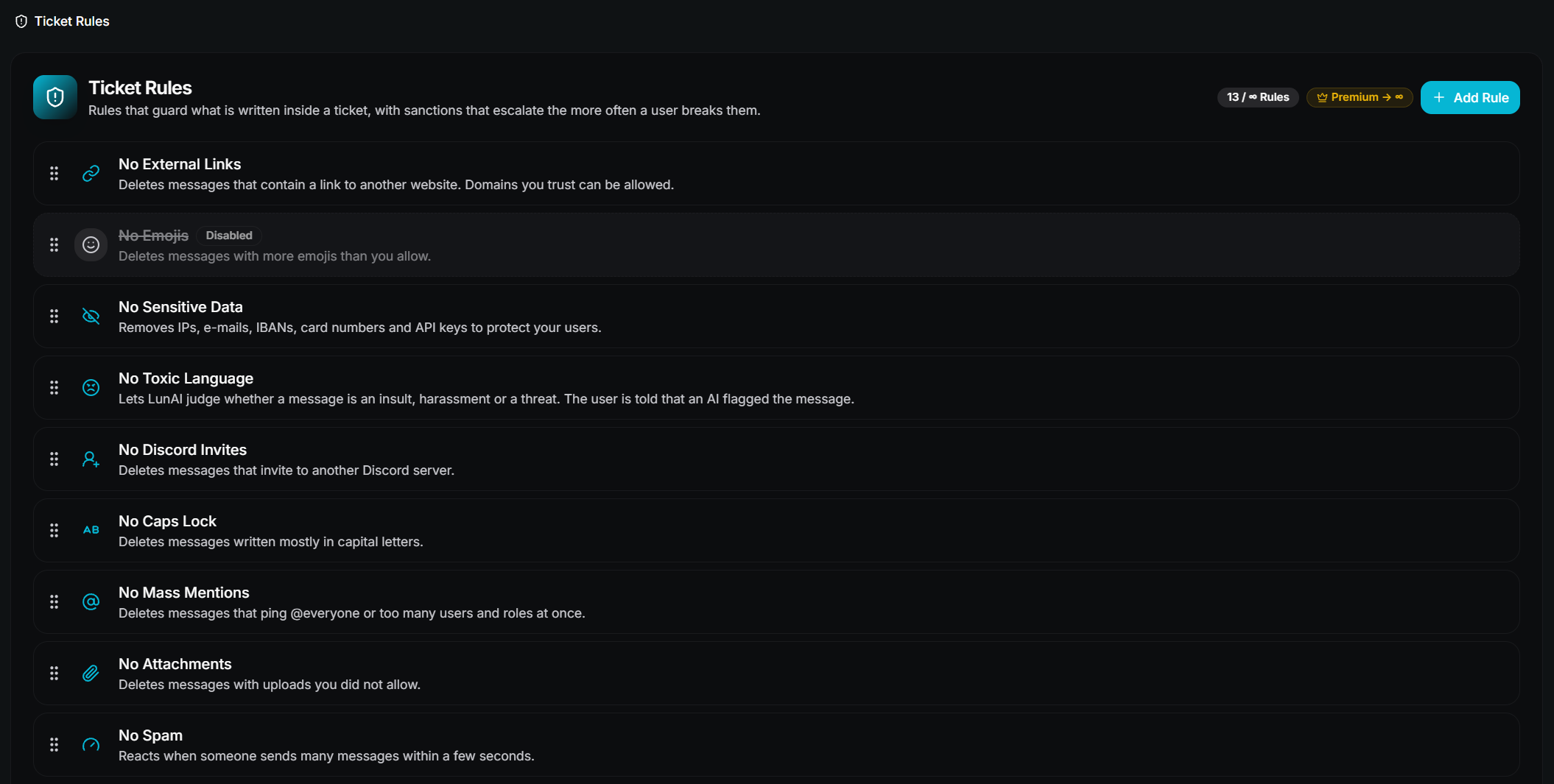
Until now there was just one hard-coded rule against external links. Ticket Rules replaces it with a full module: you choose which rules apply inside your tickets, and TicketWave reacts on its own. The more often someone breaks a rule, the stronger the reaction.
- We added 14 rules you can turn on one by one:
- No External Links - blocks links to other websites. Domains you trust, like
youtube.com, can stay allowed. - No Discord Invites - blocks invites to other Discord servers.
- No Emojis - blocks messages with more emojis than you allow.
- No Caps Lock - blocks messages written mostly in capital letters.
- No Mass Mentions - blocks
@everyone,@hereand messages that ping too many people at once. - No Blocked Words - your own word list. A word can match anywhere, only as a whole word, or with a
*wildcard. - No Attachments - blocks uploads, with a list of allowed file types and a maximum file size.
- No Spam - reacts when someone sends too many messages within a few seconds.
- No Duplicate Messages - reacts when someone sends the same message over and over.
- No Wall Of Text - blocks very long messages and messages with too many line breaks.
- Minimum Message Length - reacts to one-word messages that carry no information.
- No Repeated Characters - blocks "aaaaaaaaaa" style messages.
- No Sensitive Data - removes IP addresses, e-mail addresses, phone numbers, IBANs, credit card numbers and API keys to protect your members.
- No Toxic Language - LunAI decides whether a message is an insult, harassment or a threat. The member is told that an AI flagged their message. This rule is a premium feature.
- No External Links - blocks links to other websites. Domains you trust, like
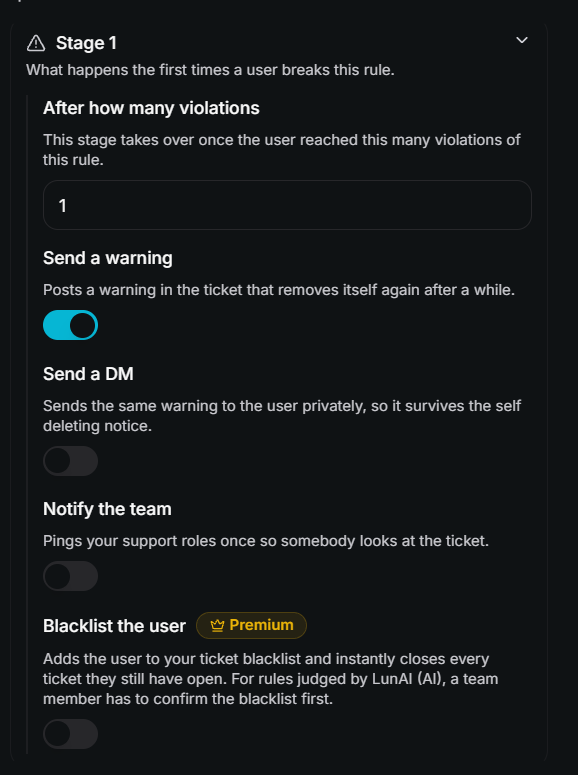
- We added three sanction stages per rule. You decide after how many violations a stage takes over and what it does: post a warning in the ticket, send the member a DM, notify your team, or blacklist the member.
- A blacklist from a rule also closes every ticket the member still has open right away. For the No Toxic Language rule, nobody is blacklisted by the AI alone - your team gets a Confirm blacklist and a Dismiss button and makes the final call.
- You decide who a rule watches: only the ticket owner, only your staff, or everyone in the ticket.
- You decide whether violations are counted per ticket or across all tickets, and after how long old violations are forgotten.
- The warning in the ticket can remove itself after a delay, so your tickets stay readable.
- Rules are checked in the order you set. If a message breaks two rules, the first one in your list is the one that applies.
- Every triggered rule is recorded with the original message, so your team can always check what happened.
- We added a new Ticket Rule log type, so every triggered rule can be logged into a log channel of your choice.
- We added a new
ticket.rule_triggeredwebhook event, so your own applications get notified too. - The whole module has an on and off switch. Turning it off keeps all of your rules.
- Free servers can set up 3 rules with the first sanction stage. Premium servers have no rule limit and get all three stages as well as the blacklist sanction.
🤖 LunAI Auto-Reply & Knowledge Base
LunAI can now answer a new ticket on its own, before anyone from your team has arrived - using only the answers you gave it.
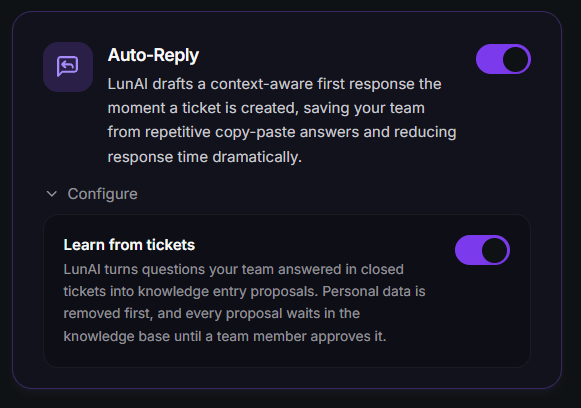
- We added Auto-Reply. When a new ticket is opened, LunAI looks through your knowledge base and posts an answer if it clearly covers the question. If it is not sure, it stays quiet and your team takes over as usual.
- Every answer comes with two buttons for the member: This solved it closes the ticket, I need a human calls your team. If the member simply writes again instead, the ticket also goes to your team.
- An answer from LunAI never counts as a reply from your team, so your reminders and your response time statistics stay correct.
- If an answer comes from your imported documentation, LunAI adds a link to the exact page, so the member can read the full article.
- We added Learn from tickets. LunAI can turn questions your team answered in closed tickets into suggestions for new knowledge entries. Personal data is removed first, and a suggestion is only used after a team member approved it. This setting is off by default.
- Auto-Reply and the Knowledge Base are premium features.
🔒 Privacy & responsible AI
- Every message written by LunAI is now labelled as AI and links to our privacy policy.
- LunAI never blacklists a member on its own. A team member always has to confirm it.
- Learned knowledge entries wait for a review before LunAI uses them. Entries that were learned before this release and never checked by your team are paused until you approve them.
- We added a short guide on using LunAI responsibly.
General
- We fixed an issue where deactivated categories, subcategories, ticket steps and step options were shown as active again after a restart of the bot.
- We improved the error message you get when LunAI cannot post into a ticket channel because the bot is not allowed to manage webhooks.
TicketWave Website
- We added a Block User button to your blacklist page. You can now block a member from creating tickets directly in your dashboard - just paste their Discord user ID and a reason. Free servers can block 1 user, premium servers have no limit.
- We added the new Ticket Rules module to your settings. Every rule shows only the settings that belong to it, and the three sanction stages are set up right underneath.
- We added the Ticket Rule log type to your logs page and the new
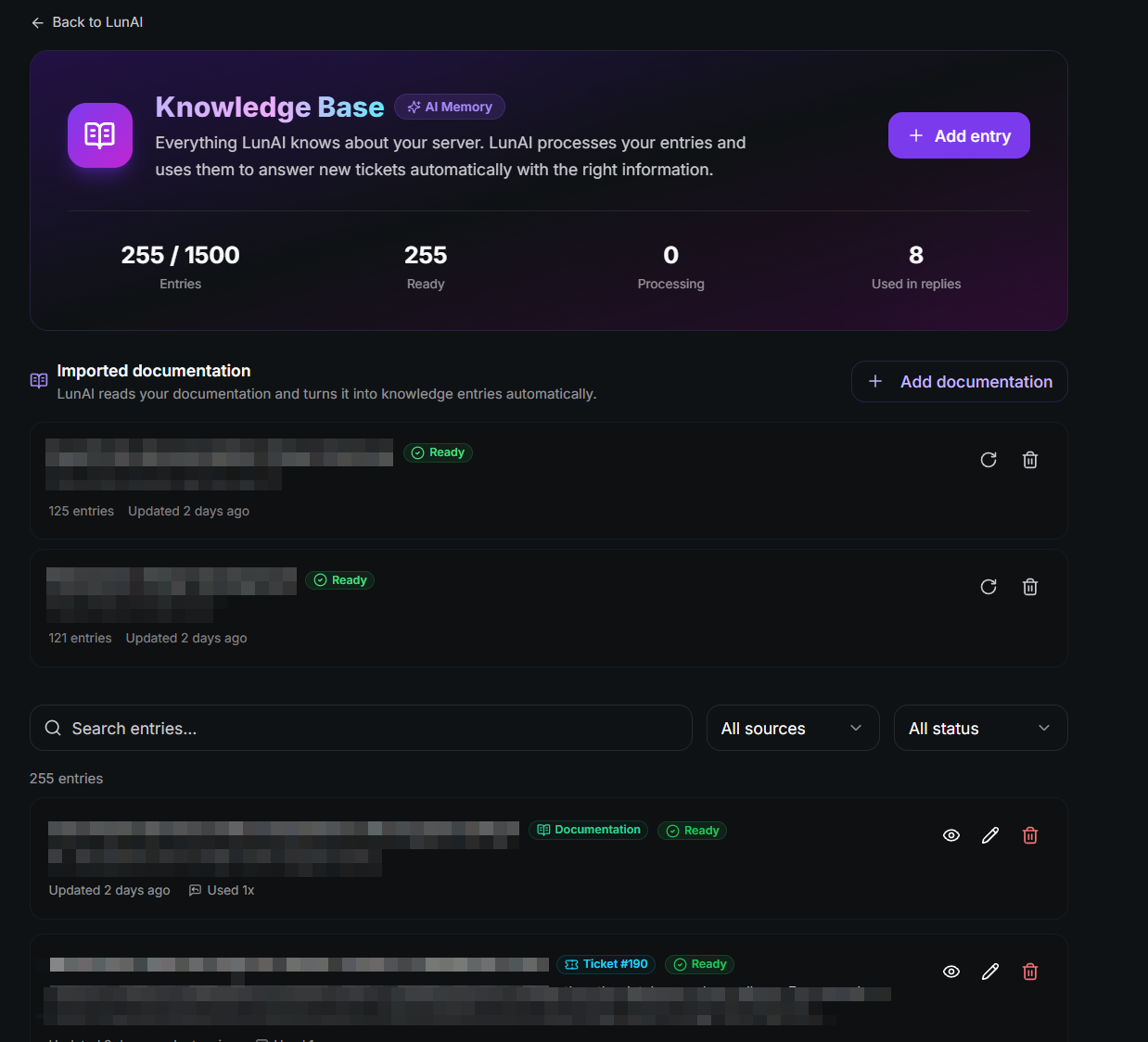
ticket.rule_triggeredevent to your webhooks. - We added a new Knowledge Base page to your LunAI dashboard. You can add, edit, search and delete the answers LunAI uses, see how often an entry was used in a reply, and approve entries LunAI learned from tickets in a review queue.
- We added documentation import to the Knowledge Base. Paste the link to your documentation and LunAI reads every page and turns it into knowledge entries automatically. With Re-sync LunAI reads it again and only processes pages that changed. You can import up to 3 documentations with up to 300 entries, next to up to 1,500 entries of your own.
- Before a documentation is imported, you confirm that it belongs to your server or that you are allowed to use it. Websites that do not allow automatic reading are skipped.
- We added the Learn from tickets switch and a short note on using AI responsibly to your LunAI page.
- We marked Auto-Reply as available in the LunAI section of our homepage.
- We added an Imprint page and linked it in the footer.
- We rewrote our Privacy Policy and our Terms of Service, including a detailed section about how LunAI handles your data.
- We added a short notice right above the pay button of the premium checkout, which explains that your subscription renews automatically, can be cancelled at any time and that consumers have a 14-day right of withdrawal.
- We updated the translations for all supported languages on the website.
We are committed to continuously improving our product and providing you with the best experience possible. If you have any questions or feedback, please don't hesitate to reach out to us on our Discord server.
Thank you to everyone. Your feedback makes TicketWave better and stronger than ever.


